

Tags
Creators
Details
Pvp stats+ fabric 1.21+
featured item
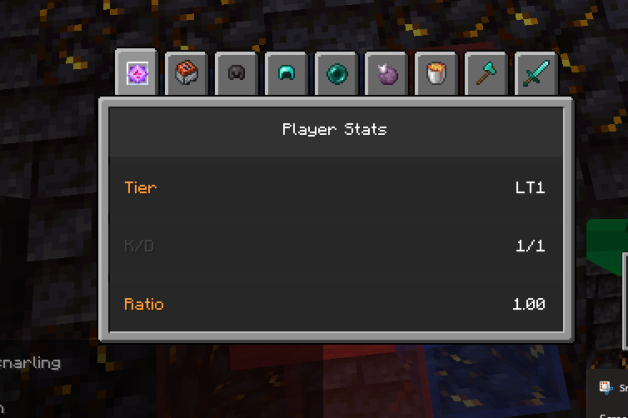
Player Stats📈
The Player Stats tracks your tier progression from LT5 to HT1 and displays your kill/death ratio against each player. Left-click to open and view the stats.
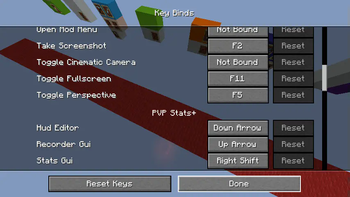
Controls🎮
The default hotkeys for the mod are easy to use and fully customizable: HUD Editor: Down Arrow ⬇️ Recorder GUI: Up Arrow ⬆️ Stats GUI: Right Shift ⌨️
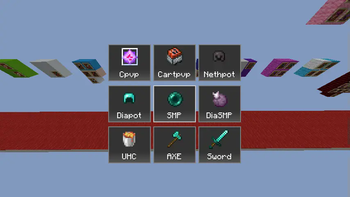
Recorder Gui📷
The Recorder GUI lets you select a game mode to track, including Crystal PvP, Cart PvP, Netherite Pot, Diamond Pot, SMP, UHC, Axe PvP, and Sword PvP. Simply pick a mode and hit your opponent once to start recording stats!
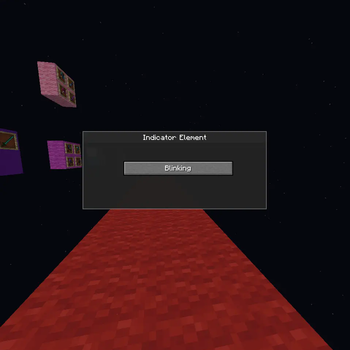
Indicator Element💡
The Indicator Element GUI opens when you right-click the recording bar. It shows whether recording is active with a blinking indicator and allows you to toggle recording on or off.
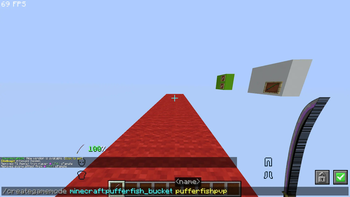
Custom Game Creation ⚙️
Use the /creategamemode {item you want} {name of gamemode} command to create your very own gamemode! Your custom gamemode will be tracked and seamlessly integrated into your stats, ensuring every game counts.
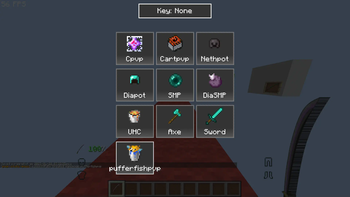
Recorder GUI: Added Custom Gamemode 📝
After creating a custom gamemode, you’ll also see it listed in the Recorder GUI. This tool ensures that every custom game session is logged and recorded, keeping all your stats in one place for easy access.
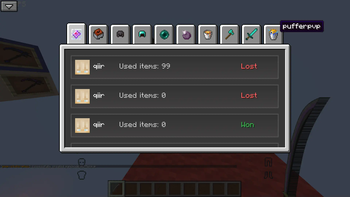
Stats GUI: Custom Gamemode 📊
Once you've added your custom gamemode, it will appear in the Stats GUI. This handy interface tracks your performance across all gamemodes, including your creations, so you can monitor your progression and compare stats.
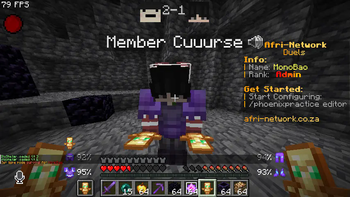
Score display📊
The Score Display shows your scores along with the recording indicator. You can toggle the recording indicator on or off through the HUD Editor.
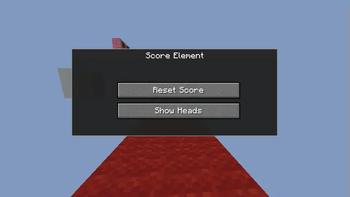
Score Element🛠️
The Score Element lets you reset all scores for current or past opponents. It also allows you to add or remove player heads, showing only the scores if preferred.
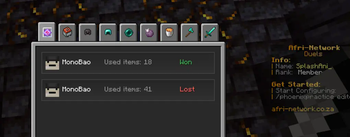
Stat Gui📊
The Stats GUI tracks wins 🟢, losses 🔴, K/D ratio, and detailed match stats like damage and duration, all organized by game mode. 🎮✨
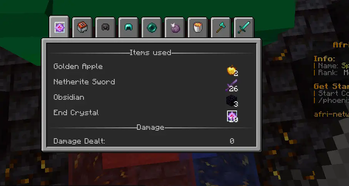
Match information 🏆
The Match Information shows the result, K/D ratio, damage dealt, items used, match duration ⏱️, and game mode, making it easy to review your performance.
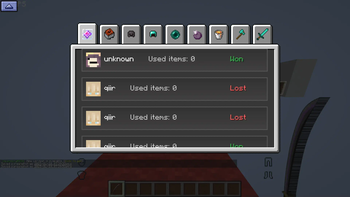
Ascending and Descending Sort ↕️
Easily sort your matches! With the Ascending/Descending button, arrange games in your preferred order—whether you're looking for your earliest victories or most recent challenges.
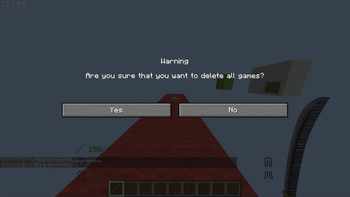
Stats GUI: Delete All Games 🗑️
Press Ctrl + Delete to instantly delete all games listed in the Stats GUI. Use with caution—once gone, they’re gone for good!
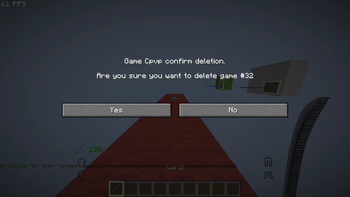
Delete a Specific Match ❌
Want to remove just one game? Hover over a gamemode in the Stats GUI and press the Delete button to delete that specific match.
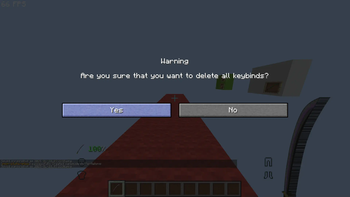
Recorder GUI: Keybind Delete 🔑
To clear all hotkeys in the Recorder GUI, use the Ctrl + Delete command. Clean and reset your bindings in one simple step!